When someone leaves a voicemail, your phone system doesn't have to be the only place that message lives. Voicemail to email takes the audio recording and delivers it to an email inbox — as an attached audio file, usually accompanied by the caller's number, the timestamp, and optionally a text transcription of what was said. The result is that you can listen to a voicemail from your laptop, your phone, or anywhere you can read email, without ever dialing in to retrieve messages.
This article explains how voicemail to email works at the technical level, what the delivery pipeline looks like from the moment a caller hangs up, what you need to understand about audio formats, transcription accuracy, security, and retention, and what to think about when setting it up for a business.
Definition: Voicemail to email is a feature that automatically sends a voicemail recording to a configured email address as an audio file attachment — typically MP3 or WAV — immediately after the message is left. The email includes contextual information such as the caller's number and call timestamp. Some implementations also include a text transcription of the voicemail in the email body. The primary benefit is allowing recipients to access and listen to voicemails from any device or location, without logging into the phone system to retrieve them.
How the Delivery Pipeline Works
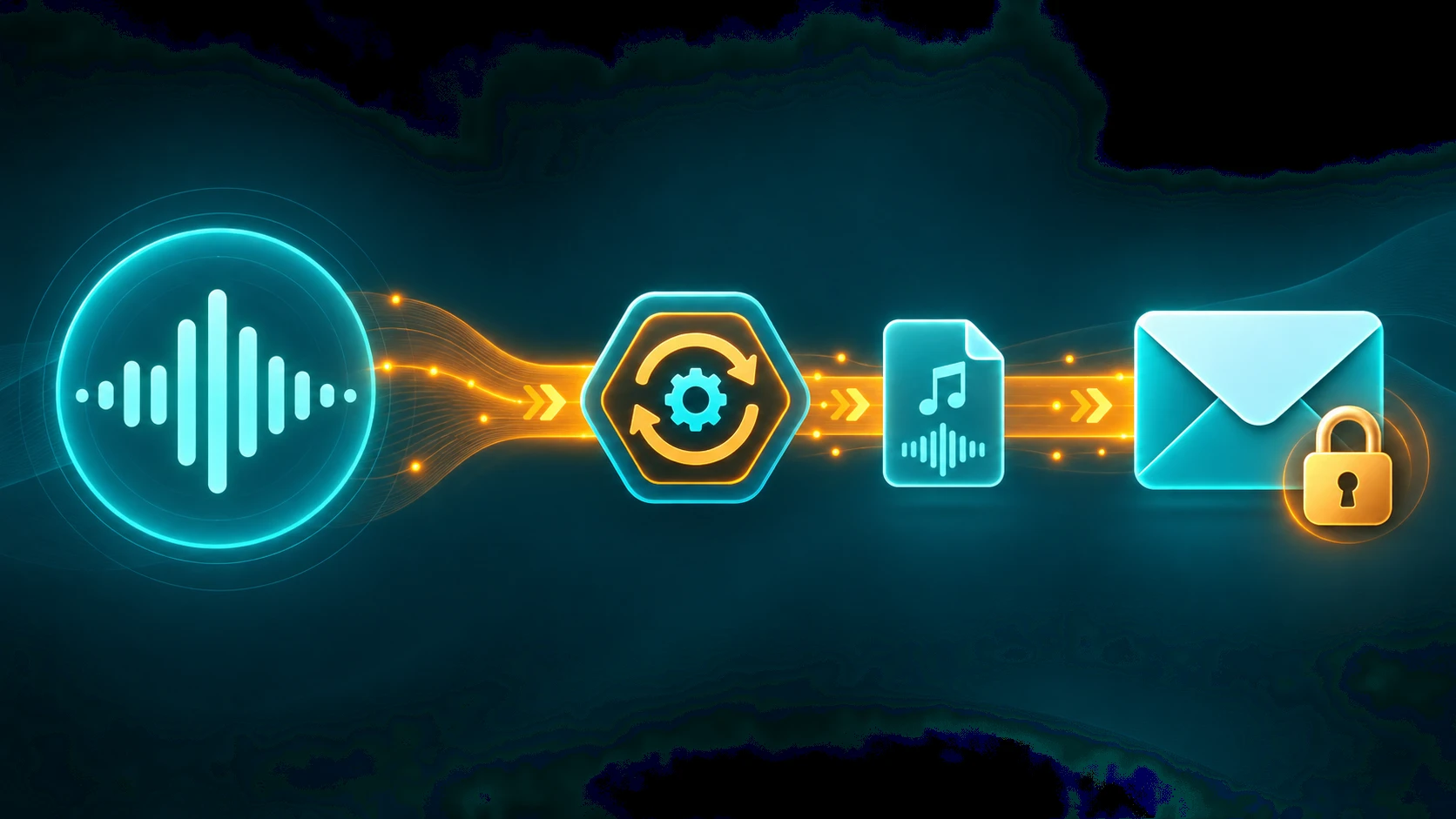
Understanding voicemail to email means understanding what happens between the moment a caller finishes leaving a message and the moment an audio file appears in your inbox. The steps are straightforward but involve several distinct system components:
- Caller leaves a voicemail. When an incoming call goes unanswered — whether due to no answer, a busy line, after-hours routing, or do-not-disturb — the call is redirected to the voicemail system. The caller hears the configured greeting and records their message. When they hang up or press a key to end the recording, the audio is captured by the PBX or cloud phone platform.
- PBX encodes the audio file. The recorded audio is encoded into a deliverable file format — most commonly MP3, though some systems use WAV or other formats. This encoding step is what produces the actual attachment that will be emailed.
- The system assembles the email. The platform constructs an outbound email message containing the audio file as an attachment, the caller's number (if available from the inbound caller ID), the date and time the voicemail was left, and optionally a transcript of the message content.
- The email is sent over SMTP with TLS. The phone system's email integration uses SMTP — the standard email sending protocol — with TLS encryption to send the message to the configured recipient address. This is the same transport encryption used for all modern business email; it protects the audio file in transit between the phone system and the receiving mail server.
- The email arrives in the recipient's inbox. Delivery typically takes seconds to under a minute after the voicemail is left, depending on the platform's processing time and any SMTP queue delays. The recipient sees a new email with an audio file attachment and can play it directly, download it, or read the transcription if one is included.
The whole process is automatic — no action is required from the voicemail recipient for the message to be delivered. This is what distinguishes voicemail to email from traditional voicemail retrieval, where the recipient must remember to check the system, dial an access number, and navigate a menu to hear their messages.
For more on how business voicemail fits into a broader call routing and phone system setup, see our dedicated article on the topic.
Audio Format: MP3 vs WAV
The format of the attached audio file affects file size and compatibility. The two formats most commonly used are:
- MP3 is a compressed audio format that significantly reduces file size compared to the raw recording. A 60-second voicemail encoded as MP3 is typically in the range of 100–300 KB — small enough to be unproblematic as an email attachment even on mobile connections. MP3 is the more common format for voicemail to email delivery because of this compact size, and it is natively playable in virtually every email client and browser.
- WAV is a container format that can hold uncompressed or compressed audio. File size depends on the encoding used. A 60-second message stored as uncompressed PCM at 8 kHz / 16-bit mono (common in telephony) is approximately 960 KB. The same duration at 16 kHz / 16-bit mono (wideband) is roughly 1.9 MB, and at CD quality (44.1 kHz / 16-bit stereo) approximately 10.6 MB. Some phone systems store WAV files with compressed codecs (such as G.711 μ-law at 8 kHz), which produces roughly 480 KB per minute. In practice, most telephony voicemail WAV files fall in the 0.5–2 MB range for a 60-second message. WAV may be preferred in environments where audio fidelity matters (such as compliance recordings), but the larger file size compared to MP3 is a practical drawback for routine voicemail-to-email delivery.
For most business voicemail use cases, MP3 is appropriate. The audio quality is sufficient to understand the caller's message, and the file size is manageable. If your organization has specific requirements around audio fidelity or compatibility with downstream systems (such as compliance review tools), confirm what format your phone platform produces.
Note that voicemail to email and call recording are distinct features — call recording captures two-way conversation audio for review and compliance, while voicemail to email delivers one-way caller messages. Both produce audio files, but the use cases, storage, and access controls differ.
Voicemail Transcription in Email
Many voicemail to email implementations include a text transcription of the voicemail in the body of the email, in addition to the audio attachment. The transcription uses ASR — Automatic Speech Recognition — to convert the recorded audio to text. When it works well, you can read the gist of a voicemail in seconds without opening the audio file at all.
Transcription accuracy is worth understanding clearly:
- For clear speech under good conditions — a caller speaking at a normal pace into a good microphone on a clear connection — transcription accuracy is typically in the range of 80–90%. This is sufficient to understand the caller's name, callback number, and general reason for calling.
- Accuracy degrades with audio quality issues. Background noise, a poor cellular connection, a caller speaking too quickly, a heavy accent, or technical terms and proper nouns that are unusual will all reduce accuracy. The transcript may be partially garbled or include obviously wrong words.
- Names and phone numbers are frequently transcribed incorrectly. These are often the most important pieces of information in a voicemail, and they are also the hardest for ASR systems to get right. A caller saying their name is "Bhavesh" may produce any number of phonetic approximations. A callback number may have transposed digits.
- The audio is the authoritative record. Treat transcription as a convenience summary, not a reliable verbatim record. For any voicemail where the details matter — a callback number, a specific request, a name — listen to the audio before acting on the transcript alone.
Some systems offer voicemail transcription as a notification without the audio attachment — sending only the text version by email or SMS. This is a different feature from voicemail to email: it's more convenient for quick reading but removes access to the audio itself. Voicemail to email with inline transcription gives you both. For a deeper look at how transcription technology works across the platform, see our article on real-time call transcription.
Security and Privacy Considerations
Voicemail messages can contain sensitive information — callers may leave details about account numbers, health matters, legal concerns, or personal situations. When voicemail is delivered by email, the security of that delivery is worth understanding.
Encryption in transit
The email transmission itself uses SMTP with TLS encryption — typically over port 587 (STARTTLS) or port 465 (implicit TLS). This encrypts the email in transit between the phone system's mail server and the receiving mail server, protecting the audio file from interception during delivery. Modern business email platforms all support TLS, so for standard business email addresses, the in-transit protection is effectively automatic.
Encryption at rest
Once the email lands in the recipient's inbox, the voicemail audio is subject to whatever security the receiving email provider applies. Most business email platforms (Google Workspace, Microsoft 365, and others) encrypt stored email data, but the level of protection at rest depends entirely on the email provider's implementation — it is not controlled by the phone system.
HIPAA considerations
Organizations covered by HIPAA — healthcare providers, insurers, and their business associates — must treat voicemail audio with particular care. If patients leave messages that include protected health information (PHI), those messages cannot be delivered to a standard consumer email address without a Business Associate Agreement (BAA) in place with the email provider. HIPAA-covered entities using voicemail to email need to ensure delivery is to a HIPAA-compliant email system with an executed BAA, and that access controls on the inbox are appropriately restricted. This is a configuration and vendor management question, not a phone system limitation — but it is a meaningful compliance requirement that is easy to overlook.
Retention: Phone System vs Email
Voicemail messages stored in a phone system are typically retained for a limited period — most platforms default to 30–90 days, after which older messages are purged automatically unless archived. The voicemail to email copy is different: the email persists in the recipient's inbox for as long as the email itself is kept, following the same retention rules as the rest of that inbox. This means the email copy may outlast the copy in the phone system, which is useful for reference but also means the email copy is subject to whatever email retention and deletion policies apply to that account. For businesses with formal records management or compliance requirements, email retention policies and phone system retention settings should be considered together.
The Mobile Use Case
The primary value of voicemail to email in a business context is mobility. Traditional voicemail retrieval requires the recipient to call into the phone system — typically from their desk phone or by dialing an access number from any phone — and navigate an audio menu to hear messages. This is cumbersome in any context and effectively impossible for someone working away from the office.
Voicemail to email changes this entirely. A voicemail left at the office while an employee is traveling, working from home, or in a meeting is immediately delivered to their email. They can see the notification on their phone, open the email, and listen to the message through their phone's speaker or headphones — in the same workflow as any other email. If transcription is included, they can read the message without even playing audio, which is useful in public spaces or during meetings where playing audio aloud would be disruptive.
This mobility benefit is particularly significant for small businesses and distributed teams where employees are frequently away from a fixed desk — field sales, service businesses, small teams without dedicated reception staff, and remote-first organizations.
Setup Considerations
Voicemail to email is typically configured at the extension or voicemail box level within the phone system's administration interface. Key configuration points to consider:
- Destination email address. Each voicemail box is linked to a specific email address. For individual extensions, this is typically the user's work email. For shared voicemail boxes (a team line, a general inbox), consider whether to deliver to a shared team mailbox rather than an individual's personal inbox — this ensures any team member can act on the message without it being siloed in one person's email.
- Audio format. Confirm whether your phone platform delivers MP3 or WAV, and whether there is a configuration option. If recipients use email clients or mobile platforms where a particular format plays more reliably, align the configuration accordingly.
- Transcription on or off. If your platform supports inline transcription, enabling it adds convenience for recipients even though accuracy is imperfect. The audio attachment is still included, so transcription is additive — recipients who want the full audio still have it.
- What happens to the copy in the phone system. Some platforms offer a "delete after email" option that removes the voicemail from the phone system inbox once the email is sent, keeping the phone system storage clean. Others retain the copy in both places. Decide which behavior fits your workflow and retention requirements.
- SMTP authentication and deliverability. If your organization manages its own SMTP relay, ensure the phone system is authorized to send from that relay. Misconfigured SMTP authentication is one of the most common reasons voicemail emails end up in spam or fail to deliver.
What to Look For When Evaluating Voicemail-to-Email
Most business phone platforms include voicemail to email, but quality varies significantly:
- Transcription included vs add-on. Some providers include voicemail transcription in all plans. Others include it only on mid or upper tiers, or charge per transcription. Verify whether transcription is bundled before committing to a plan, especially if your team works in contexts where reading is preferable to listening.
- Audio format and quality. Does the platform deliver MP3 or WAV? Is there a choice? MP3 is smaller and plays in almost all email clients. WAV is lossless but creates large attachments. Most modern platforms default to MP3, which is the right choice for email delivery.
- Shared voicemail box support. For team lines, can a single voicemail box deliver to a shared team email rather than one person? Not all platforms support this without workarounds. Confirm the capability explicitly if you have shared lines.
- Delivery reliability. Email delivery from phone systems fails more often than people expect — misconfigured SMTP, spam filtering, or carrier-side email reputation issues. Ask providers about their delivery infrastructure and whether they use dedicated sending IP addresses. Test voicemail delivery thoroughly before going live.
- Retention policy parity. Understand whether voicemails are retained in the phone system after email delivery, for how long, and whether you can configure deletion on delivery. This matters for storage, HIPAA, and litigation holds.
- HIPAA compliance. If your business handles PHI, voicemail recordings may be included. Verify that the provider offers a BAA that specifically covers voicemail storage and email delivery — not just call recording.
How to Set Up Voicemail to Email
Setup varies by platform, but the configuration steps follow the same general structure across cloud phone systems. The following covers the core setup process for a cloud PBX or UCaaS platform.
General cloud PBX setup steps
- Navigate to the voicemail box settings for the extension or line. In most cloud phone system admin portals, this is found under Users → [User] → Voicemail, or under a dedicated Voicemail section. For shared lines, look under Lines or Ring Groups.
- Enable voicemail-to-email delivery. There is typically a toggle labeled "Email notifications" or "Send voicemail to email." Enable it.
- Enter the destination email address. For individual extensions, use the user's work email. For shared lines or team voicemail boxes, use a shared team mailbox address so any team member can see and act on incoming voicemails.
- Configure the email content options. Select whether to include the audio file as an attachment (recommended), include inline transcription (if available), and whether to also keep a copy in the phone system's voicemail inbox. If your platform offers a "delete after email delivery" option, decide whether you want the phone-system copy auto-deleted or retained.
- Set the audio format preference if configurable. MP3 is the better choice for most email delivery scenarios — smaller file size, plays natively in virtually all email clients. WAV is only necessary if a downstream system (compliance tool, CRM) requires it.
- Save and send a test voicemail. Call the number from an external phone, leave a short test message, and verify the email arrives at the configured address with the audio attachment. Check that the audio plays correctly, the caller ID and timestamp are accurate, and the transcription (if enabled) renders in the email body.
- Check spam and junk folders. Voicemail emails from phone system SMTP relays are sometimes caught by spam filters. If the test email doesn't arrive in the inbox, check the spam folder. If it consistently lands in spam, an SPF/DKIM configuration issue on the sending side may need to be resolved with your phone provider.
Microsoft 365 and Exchange delivery considerations
When the destination mailbox is hosted in Microsoft 365 or Exchange, a few additional factors affect reliable delivery:
- Microsoft 365's Defender for Office 365 (formerly Advanced Threat Protection) may quarantine emails containing audio attachments from unfamiliar senders. If voicemail emails are not appearing in the inbox, check the quarantine in the Microsoft 365 Security Center before assuming a delivery failure.
- Exchange Online transport rules can strip attachments above a certain size. WAV files from longer voicemails may exceed attachment limits; MP3 encoding reduces this risk significantly. Confirm your organization's attachment size policy.
- For shared team mailboxes in Exchange, ensure that the voicemail delivery address is the shared mailbox's primary SMTP address, and that the shared mailbox permissions allow the team members who need access to read and manage emails.
Google Workspace and Gmail delivery considerations
Gmail's spam filtering applies to voicemail emails the same way it applies to all external mail. Audio file attachments from phone system relay services can trigger spam classification, particularly if the sending domain lacks proper SPF and DKIM records. If voicemail emails are landing in spam:
- Add the sending domain to your Gmail or Google Workspace allowlist (Settings → Filters and Blocked Addresses for personal; Admin Console → Gmail → Spam, Phishing, and Malware for Workspace).
- Ask your phone provider whether their outbound SMTP relay is configured with SPF and DKIM records for their sending domain. Missing authentication records are the most common cause of voicemail emails landing in spam on Google Workspace.
- For Google Workspace shared inboxes (collaborative inboxes in Google Groups), ensure the receiving group is configured to accept external email. By default, some Google Groups reject external senders.
Voicemail to Email Not Working? Common Causes and Fixes
Voicemail-to-email delivery is more fragile than it appears. The most common failure points, and how to diagnose each:
Emails not arriving at all
- Check spam and junk folders first. This resolves the majority of "not arriving" reports. Many email providers filter voicemail delivery emails as suspicious.
- Verify the destination email address in the phone system. A typo in the configured email address is a common and overlooked cause. Confirm the address exactly as entered.
- Check SMTP authentication configuration. If your phone system uses your organization's SMTP relay rather than the provider's own relay, ensure the phone system's credentials are correct and the relay is authorized to send from the configured address. Many "voicemail to email stopped working" reports trace back to a password change or account rotation that broke SMTP authentication.
- Contact your phone provider about their sending domain's email reputation. If the provider's SMTP relay has poor email reputation or is on a blocklist, delivery failures may be carrier-side rather than your configuration.
Emails arriving in spam
- Add the phone provider's sending domain to your email platform's allowlist or safe sender list.
- Check whether the provider's sending domain has valid SPF, DKIM, and DMARC records — ask support or look up the domain's DNS records. Missing or misaligned authentication is the most common technical cause of spam classification.
- If using a self-hosted or on-premise phone system, ensure the SMTP relay you configured is not on a shared IP with other senders who have poor sending reputation.
Audio attachment missing or unplayable
- Confirm the email client is not stripping attachments — some corporate email security policies remove audio file attachments automatically.
- Check the file format. Some email clients on mobile do not play WAV files inline; MP3 plays universally. If your phone system is sending WAV, switch to MP3 if the option is available.
- Verify the voicemail recording itself is not corrupt — this is uncommon but possible if there was a storage or encoding error. Test by leaving a new voicemail and checking whether a fresh recording delivers correctly.
Transcription missing or garbled
- Verify transcription is enabled in the voicemail box settings — it is often a separate toggle from the email delivery option.
- Transcription accuracy depends on audio quality. Garbled transcriptions are often a reflection of a noisy recording or a heavily accented caller rather than a platform problem. The audio attachment is always the authoritative record; treat transcription as a convenience preview.
- If transcription is consistently absent even for clear recordings, check whether transcription is included in your plan tier — some platforms include it only at mid or upper tiers.
Delayed delivery
Normal voicemail-to-email delivery takes under one minute. Delays longer than two to three minutes typically indicate one of: an SMTP queue backlog at the phone system's sending relay, a receiving mail server processing delay, or a platform-side processing issue. Occasional delays are normal. Consistent delays suggest an infrastructure issue on the phone system side — contact provider support with timestamps of affected voicemails for investigation.
Voicemail to Email: Feature Evaluation Checklist
When evaluating cloud phone systems for voicemail-to-email capability, the following table covers the key features and considerations to verify before committing.