
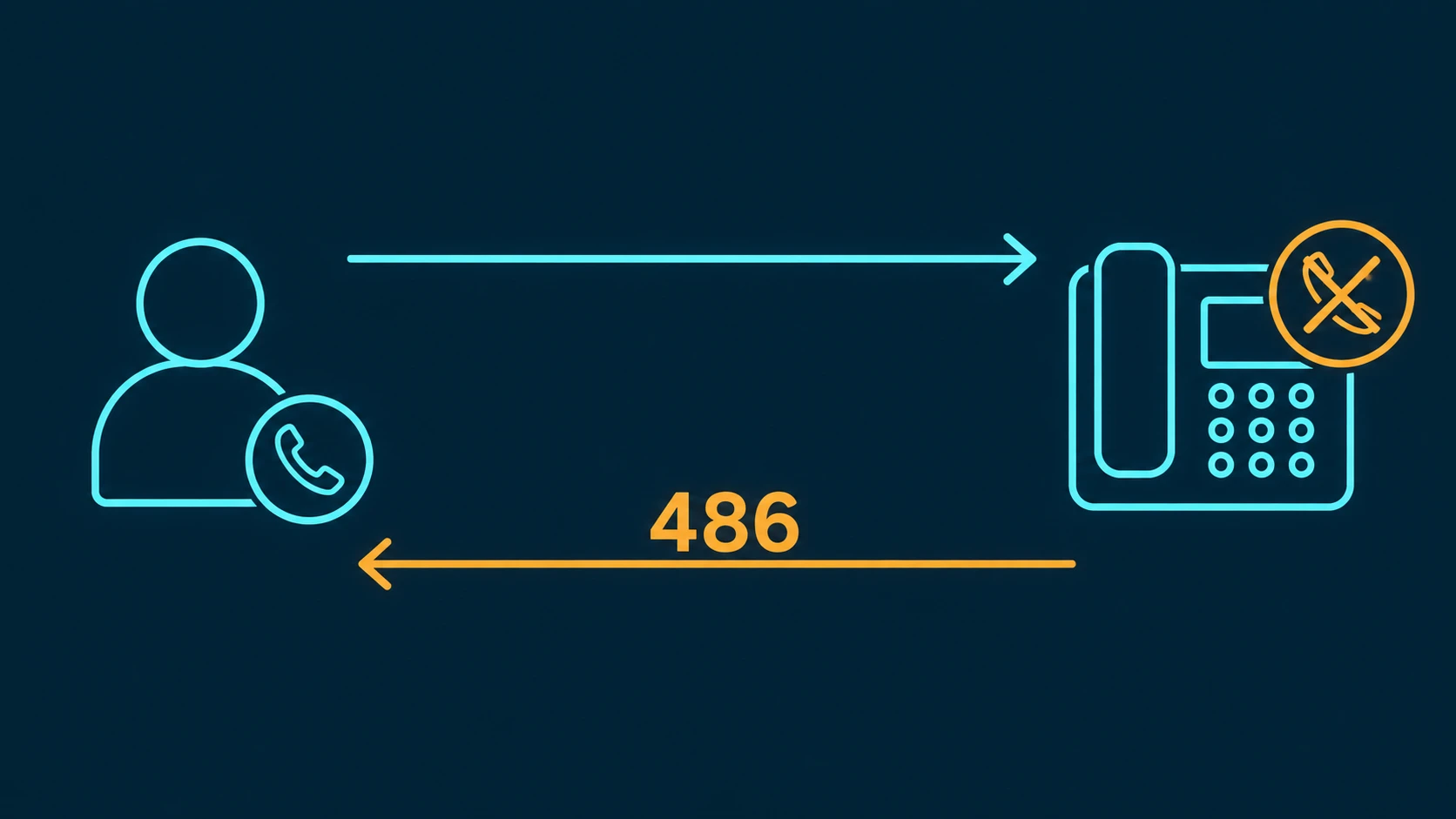
When a SIP endpoint is already occupied on a call and a new INVITE arrives, it rejects that incoming request with a 486 Busy Here response. The number is specific by design: "Busy Here" — not "Busy Everywhere," not "Temporarily Unavailable." That precision matters. 486 is a targeted, endpoint-level signal, and understanding exactly what it means is the difference between correctly diagnosing a routing problem and chasing the wrong cause.
For anyone managing a business phone system, a PBX, or a contact center, 486 appears regularly in SIP traces and call detail records. It shows up when call waiting is disabled, when extension call limits are hit, when agents are in wrap-up, and occasionally when a trunk runs out of capacity. This guide explains what 486 means under RFC 3261, how it differs from the related codes 600 and 480, what causes it, and how to resolve each cause.
Definition: SIP 486 Busy Here is a client-side response code defined in RFC 3261 §21.4.23. It means the specific user agent (UA) that received the INVITE is busy right now and cannot accept this call. It is an endpoint-specific signal — not a statement about the user's global availability across all devices. RFC 3261 instructs the UAC receiving a 486 that it SHOULD NOT retry the same endpoint, but MAY attempt to fork to another endpoint registered under the same address-of-record.
SIP 486 vs 480 vs 600: What Each Code Means
Three SIP response codes deal with unavailability, and they are frequently confused. The distinctions between them carry real operational consequences for how calls are routed after a failure. For a complete guide to all SIP response code classes and how to use them for troubleshooting, see SIP response codes explained.
| Code | Name | What it means | Retry behavior |
|---|---|---|---|
| 486 | Busy Here | The specific endpoint that received the INVITE is busy on another call right now. Other endpoints registered to the same user may be free. | SHOULD NOT retry the same endpoint. MAY fork to another endpoint registered under the same address-of-record. |
| 600 | Busy Everywhere | The user is busy across all endpoints — globally unavailable. No fork will succeed. Rarely used in practice. | Do not fork. The user is globally busy and no other endpoint will accept the call. |
| 480 | Temporarily Unavailable | The UA is registered and known to the system, but is not ready to accept calls right now — for example, DND is active or the device is unregistered. | The endpoint is not engaged on another call. Try again later or route to voicemail/overflow. |
The clearest way to remember the 486 vs 480 distinction: 486 means the UA is registered, active, and currently on a call — it is engaged. 480 means the UA exists in the system but is not in a state to take calls right now, even though it is not necessarily on another call. The cause is different, and so is the correct routing response. A 486 from an agent endpoint in a call queue tells the PBX "this agent is busy, try someone else." A 480 from the same endpoint might mean the agent stepped away or enabled DND.
600 Busy Everywhere is included in RFC 3261 but is rarely encountered in real-world deployments. Most endpoints simply return 486 when busy rather than attempting to assert global unavailability. If you see a 600 in a SIP trace, treat it as a curiosity worth investigating — many modern endpoints generate it only as a result of misconfiguration rather than intentional use.
7 Common Causes of SIP 486 Busy Here
486 is always generated by the endpoint that received the INVITE — never by a proxy or intermediate server. That narrows down the diagnosis considerably. The following are the most frequent causes in business phone environments.
- 1. Call waiting disabled on the endpoint. When call waiting is turned off, a SIP phone that is already on a call will reject any incoming INVITE with 486. This is the most common single cause of 486 in business phone environments. The phone is registered, active, and occupied — and configured to refuse a second call. Enabling call waiting on the endpoint or in the PBX extension configuration resolves this immediately.
- 2. Maximum concurrent call limit reached. SIP phones and soft clients can be configured with a hard limit on how many simultaneous calls they handle. A phone set to a maximum of two concurrent calls will accept the first two INVITEs and return 486 on a third. This is a configuration parameter on the endpoint and in the PBX extension settings — usually labeled "max calls," "max concurrent sessions," or similar. Increase the limit if the extension legitimately needs to handle more simultaneous calls.
- 3. Do Not Disturb (DND) active. Some PBX platforms return 486 when an extension has DND enabled rather than returning 480. The behavior is PBX-dependent and sometimes configurable. If your SIP trace shows 486 responses from an extension you expect to be available, verify the DND status of that extension in the PBX console. This cause is easy to overlook because the extension appears registered and active in every other respect.
- 4. PBX trunk exhaustion. When all SIP trunk channels are in use, the PBX cannot send the INVITE outbound and may return 486 to the internal originator to indicate that no path is available. This manifests as 486 on outbound call attempts, not inbound. The root cause is insufficient trunk capacity rather than a busy endpoint. See the SIP trunk capacity planning guide for how to calculate the correct channel count and what happens when you run short.
- 5. Queue agent in after-call wrap-up. In contact center environments, agents are often placed into a wrap-up or after-call work (ACW) state after a call ends. During wrap-up, the PBX marks the agent's endpoint as unavailable. If the PBX attempts delivery to a wrap-up agent before the state transition completes correctly, a 486 may be returned. This usually self-resolves when the agent exits wrap-up, but frequent occurrences may indicate a timing issue in queue configuration.
- 6. Hard-coded call limit per extension in PBX configuration. Many PBX platforms allow administrators to set a per-extension call limit separately from the endpoint's own firmware setting. An extension might be capable of handling multiple concurrent calls at the device level, but the PBX has a separate limit set to one or two. Check both the device configuration and the PBX extension settings when diagnosing repeated 486 responses from a specific extension under moderate load.
- 7. SIP endpoint firmware bug. Some SIP phone firmware versions incorrectly return 486 when they should return 180 Ringing or accept the call. This typically presents as intermittent 486 responses from a specific device model on certain firmware versions, while other phones of the same model on different firmware behave correctly. If 486 responses are isolated to a specific device model, check the vendor's firmware release notes for known bugs and update the firmware.
SIP 486 in Call Center and Queue Environments
In a call queue, 486 is a normal and expected part of agent delivery. When the PBX attempts to deliver a queued call to an agent, it sends an INVITE to that agent's endpoint. If the agent is already handling a call and call waiting is not enabled, the endpoint returns 486. The PBX treats this as a signal to move to the next available agent in the rotation, rather than as a final failure.
This is the designed behavior: 486 from one agent triggers the queue to try the next agent, cycling through the available pool until a free endpoint accepts. The call stays in the queue and is not lost. From the caller's perspective, nothing visible happens — they remain on hold while the queue engine works through its delivery attempts behind the scenes.
Problems arise when a large proportion of agents are simultaneously busy. If the queue cycles through all available agents and receives 486 from each, the call either continues waiting for an agent to become free or — depending on queue configuration — hits a timeout threshold and is redirected to voicemail, overflow routing, or a callback offer. Monitoring 486 rates per agent extension can reveal agents who are consistently receiving and rejecting queue delivery attempts, which may point to a misconfigured call limit or an unintended DND state.
It is also worth noting that 486 from an agent endpoint is distinct from a queue overflow event. Overflow is a queue-level condition triggered by total wait time or queue depth. 486 is an endpoint-level condition on individual delivery attempts. The two can coexist: a queue might be experiencing overflow because all agent endpoints are returning 486, even though the queue itself has not hit its overflow threshold.
How 486 Appears in Call Detail Records
A call that results in 486 is logged in CDRs as a busy — not as an answered call, not as a failed call in the error sense. The attempt is recorded with no billable duration. On most platforms, the disposition code will be "busy," "486," or an equivalent label.
This CDR behavior has a few practical implications. First, the call attempt is counted in your attempt volume even though it did not connect — relevant if you are tracking answer rates or evaluating route quality. Second, because the duration is zero, 486 calls do not appear in talk-time reports. If you are seeing lower-than-expected talk time for a specific extension alongside a busy call rate, correlating 486 CDR entries with that extension is the right diagnostic step.
In outbound call center environments running predictive dialers, 486 responses from external destinations (the called party's phone being busy) contribute to the dialer's connect ratio calculations. A high rate of external 486 responses on a contact list may indicate peak-hour calling patterns where many contacts are already on calls, and the dialer's pacing algorithm will adjust accordingly. The CDR trail makes this pattern visible for reporting purposes.
How to Fix SIP 486 Busy Here
The correct fix depends on which of the causes above is generating the 486. Here is a summary of resolutions by cause:
- Call waiting disabled: Enable call waiting on the endpoint's firmware settings and confirm the PBX extension policy also permits call waiting. On most SIP phones, this is a setting in the phone's web interface or provisioning template. On the PBX side, look for an extension setting labeled "call waiting" or "busy call handling."
- Max concurrent call limit too low: Increase the per-extension call limit in both the PBX and the endpoint configuration. Match the limit to the actual workflow — an agent who handles customer escalations and internal calls simultaneously may legitimately need a limit of three or four, not one.
- DND active unexpectedly: Check the extension's DND status in the PBX console. If DND is being triggered unintentionally — for example, by a feature code the user pressed accidentally — review the extension's feature code settings. Some PBX platforms also allow administrators to disable DND on specific extensions or require confirmation before activating it.
- Trunk exhaustion: Add channels to the SIP trunk or provision a secondary trunk for overflow. Review concurrent call peaks in your CDR data to determine the actual channel requirement. Trunk exhaustion that appears only during specific time windows is a capacity-planning problem, not an infrastructure fault.
- Wrap-up state timing: Adjust the after-call work timer in the queue configuration to ensure sufficient wrap-up time before the PBX attempts the next delivery. If the 486 rate from agents in wrap-up is high, the timer may be expiring before the agent is genuinely ready — a process issue as much as a configuration one.
- PBX extension call limit: Review per-extension call limits in the PBX admin console separately from the device setting. Update limits to match the intended workload for each extension type.
- Firmware bug: Update the affected SIP phone firmware to the latest stable release. If the problem is intermittent and version-specific, check the vendor's known issues list or support forum before updating to confirm the fix is included in the target version.
How to Diagnose SIP 486: Step-by-Step Checklist
When 486 responses are appearing unexpectedly, work through this sequence before escalating to your PBX vendor. Most 486 problems are resolved at steps 2–4.
- Identify which endpoint is returning 486. Pull the SIP trace or CDR and confirm whether the 486 is coming from an internal extension, a trunk, or the far-end carrier. The source determines which of the causes below applies.
- Check call waiting status on the endpoint. In the PBX admin console, find the extension configuration and confirm whether call waiting is enabled. This is the most common single cause of unexpected 486 responses in business phone environments.
- Check the per-extension concurrent call limit. Verify both the PBX extension setting and the device's own firmware configuration. A limit of 1 set in either location causes 486 on any second INVITE to that endpoint.
- Confirm DND is not active. Some PBX platforms return 486 instead of 480 when DND is active. Check the extension's real-time status in the admin dashboard or BLF panel.
- Review the timing of the 486 response. If the 486 arrives very quickly — faster than the INVITE could have reached the endpoint and returned — the PBX is acting as a B2BUA and generating the response locally based on its own state table. This may indicate a ghost session (see the firmware/session-leak FAQ below) rather than a genuinely busy endpoint.
- For outbound 486: check trunk channel count. An outbound 486 that does not correspond to an external busy signal points to trunk exhaustion. Review concurrent outbound call counts against your provisioned channel limit.
- For agent endpoints in queues: review ACW timer settings. If 486 responses from a specific agent are clustering shortly after call completions, the after-call work timer may be expiring before the endpoint's session cleanup is complete.
How SIP 486 Appears in a Call Trace
When troubleshooting with SIP traces — whether from a PBX log, Wireshark capture, or a SIP trace tool like Sngrep — the 486 Busy Here response appears in a predictable sequence within the SIP dialog. Understanding this sequence helps confirm whether the 486 is a genuine busy signal or a misconfigured state.
A normal 486 exchange follows this SIP ladder:
UAC (Caller)              UAS (Endpoint)
    |                          |
    |---- INVITE ------------->|
    |                          |  (Endpoint evaluates: am I busy?)
    |<--- 486 Busy Here -------|
    |---- ACK ---------------->|
    |                          |
    (Dialog ends. No RTP established.)
Key things to look for in a trace:
- Response time: A genuine 486 from a SIP phone typically arrives within 50–200ms of the INVITE — just long enough for the device to receive the request and check its busy state. A 486 that arrives in under 10ms suggests the PBX intercepted and generated it locally without forwarding to the device.
- Source IP in the Via header: If the 486 comes from the PBX's IP rather than the endpoint's IP, the PBX is acting as a B2BUA. This is normal in many deployments, but the speed of the response still reveals whether the PBX actually contacted the endpoint.
- Missing 100 Trying: In a properly forked INVITE, the PBX first returns a 100 Trying, then either passes through the endpoint's 486 or generates one. If you see a 486 without a preceding 100 Trying, the PBX generated the 486 without attempting to reach the endpoint at all — typically because it considers the extension to be in a busy state based on its own session table.
- ACK confirms receipt: After receiving a 486, the UAC sends an ACK to confirm receipt. Verify the ACK is present in the trace. A missing ACK can indicate a network issue between the caller's UAC and the PBX, though it does not affect the 486 cause itself.
If you are seeing recurring 486 responses from an extension that appears idle, compare the SIP trace timestamps against CDR entries for that extension's most recent call. A session that terminated without a properly processed BYE can leave the PBX's state table showing the extension as occupied — generating 486 on new INVITEs even though no actual call is in progress. Restarting the endpoint's SIP registration typically clears this.
SIP 486 in Outbound Dialer Campaigns
In outbound environments — particularly those running predictive dialers or high-volume campaign dialers — SIP 486 responses carry a different meaning than in inbound scenarios. When your dialer calls an external mobile or landline number and that party is already on a call, the terminating carrier translates the PSTN busy tone into a SIP 486 before returning it over the SIP trunk. From the dialer's perspective, this is identical to receiving a 486 from an internal endpoint — the call attempt is recorded as busy in the CDR.
For outbound campaigns, a cluster of external 486 responses has specific implications:
- Campaign timing: High external 486 rates during specific time windows indicate that a large proportion of contacts on the list are already on calls — typical of peak evening hours or other periods when mobile usage is high. The dialer's pacing algorithm will adjust accordingly, but reviewing the calling window to avoid peak busy periods can improve connect rates.
- List quality: Extremely high 486 rates across all calling windows may indicate a list quality problem — numbers associated with businesses, call centers, or automated systems that are frequently occupied. List hygiene and freshness affect both 486 rates and overall Network Effectiveness Ratio (NER).
- CDR analysis: External 486 responses appear in CDRs with a "busy" disposition and zero talk time, just like internal busy responses. When analyzing campaign performance, distinguish between internal 486 (an agent or trunk is busy) and external 486 (the called party is busy) by filtering on the call direction and the origin of the 486 response in your SIP trace logs.